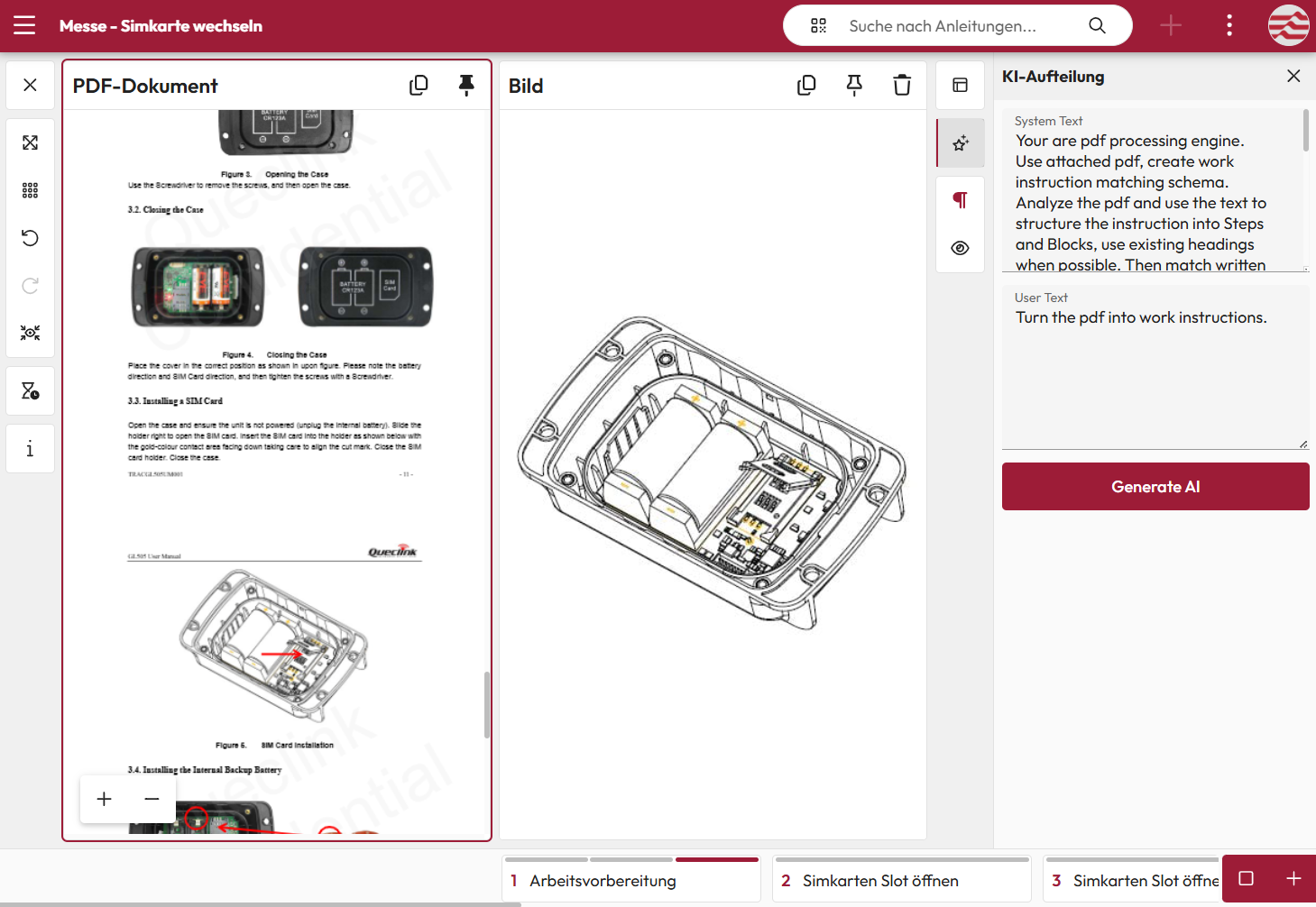
Import of instruction documents
The import of instructions allows existing documents to be quickly converted into digital work instructions. Uploaded content is stored centrally and can then be structured into individual work steps either automatically through AI import or very easily using the Step Editor. Based on this, native digital instructions are created that can be expanded and optimized at any time.


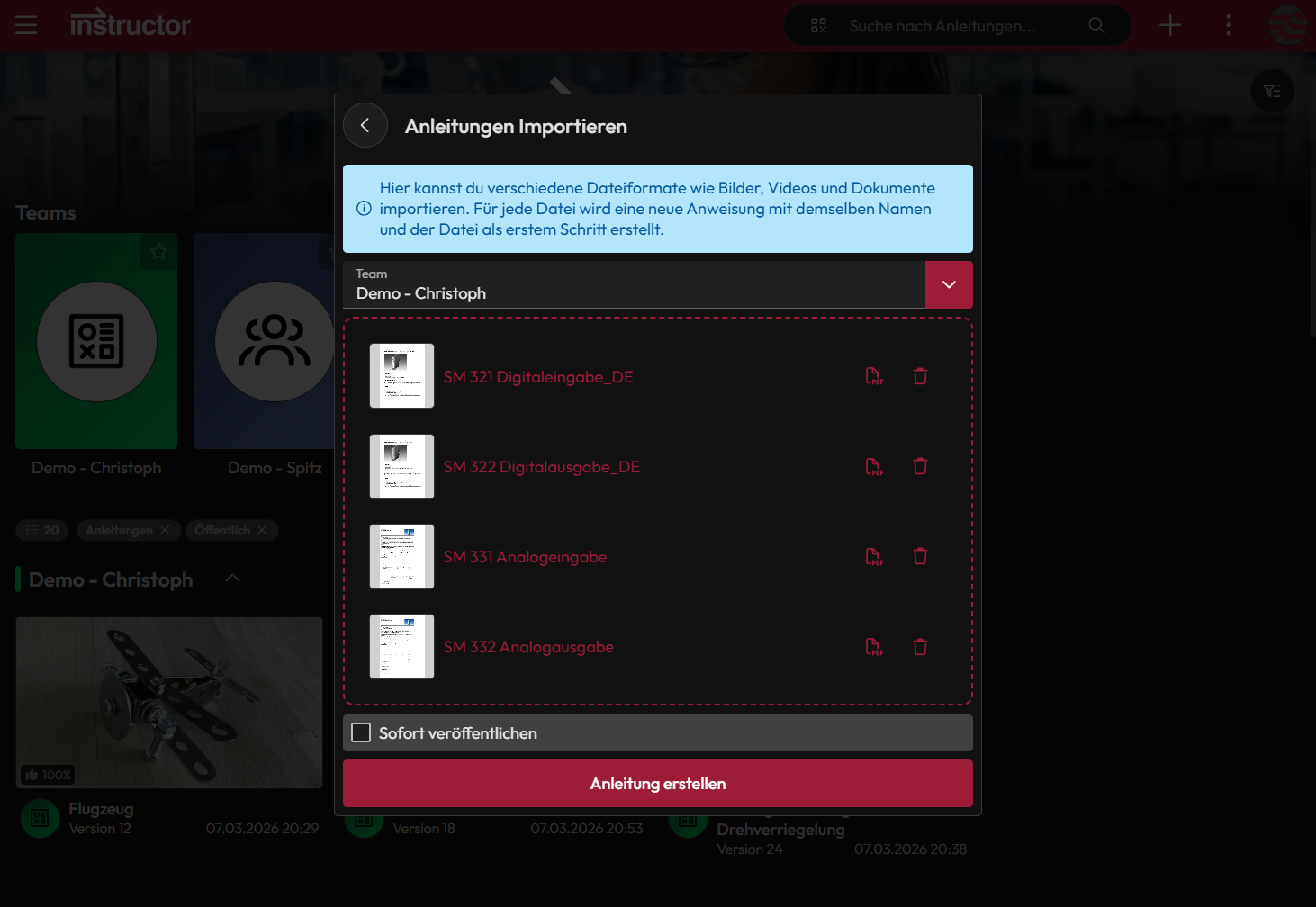
- Batch Import
- PDF Step Editor
- AI Import
Batch Import of instructions
The bulk upload of instruction documents allows multiple existing documents to be uploaded and stored in the instructor at once. Through centralized organization, companies benefit from faster access to instructions, better use of existing documentation, and more efficient knowledge sharing.
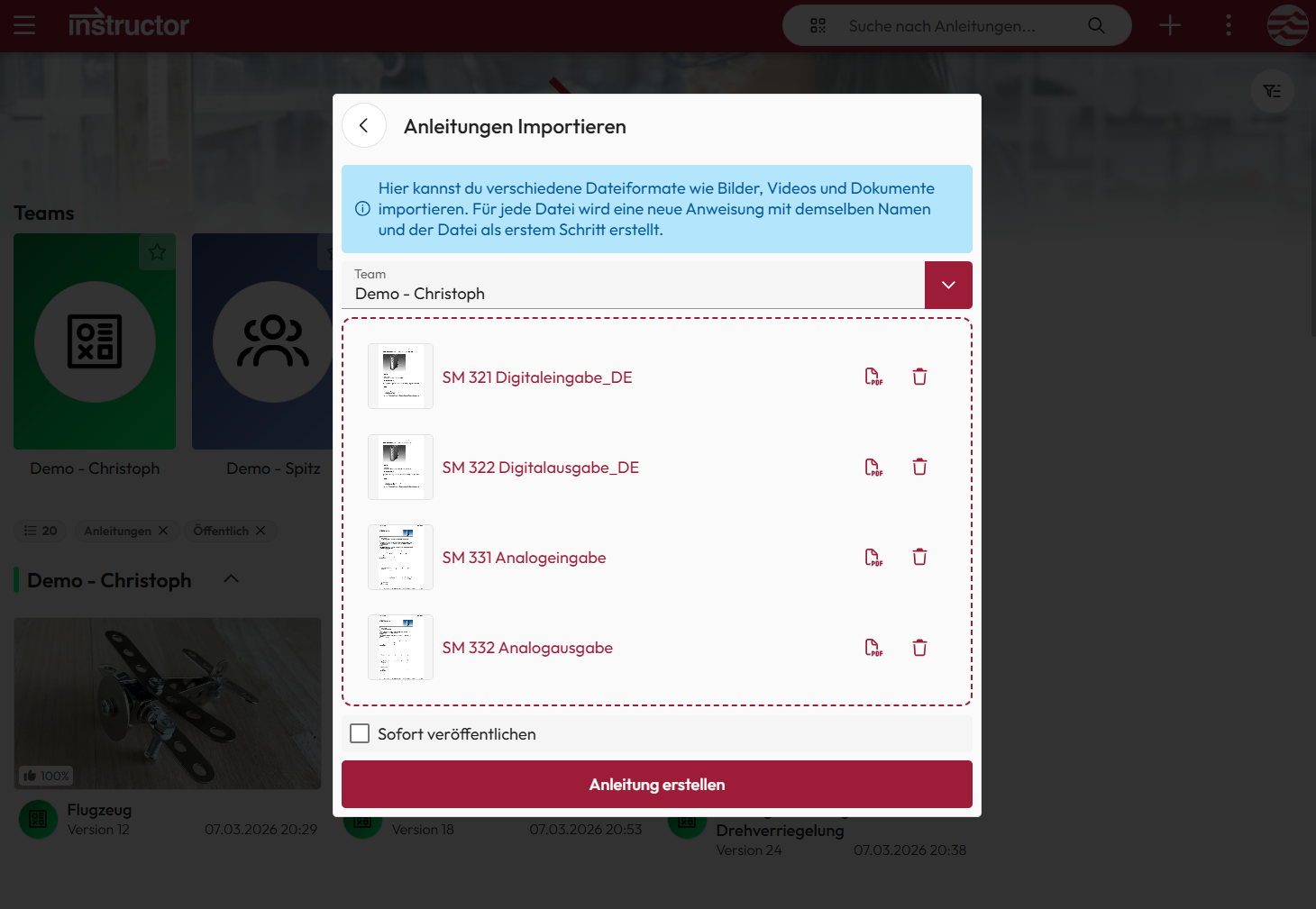
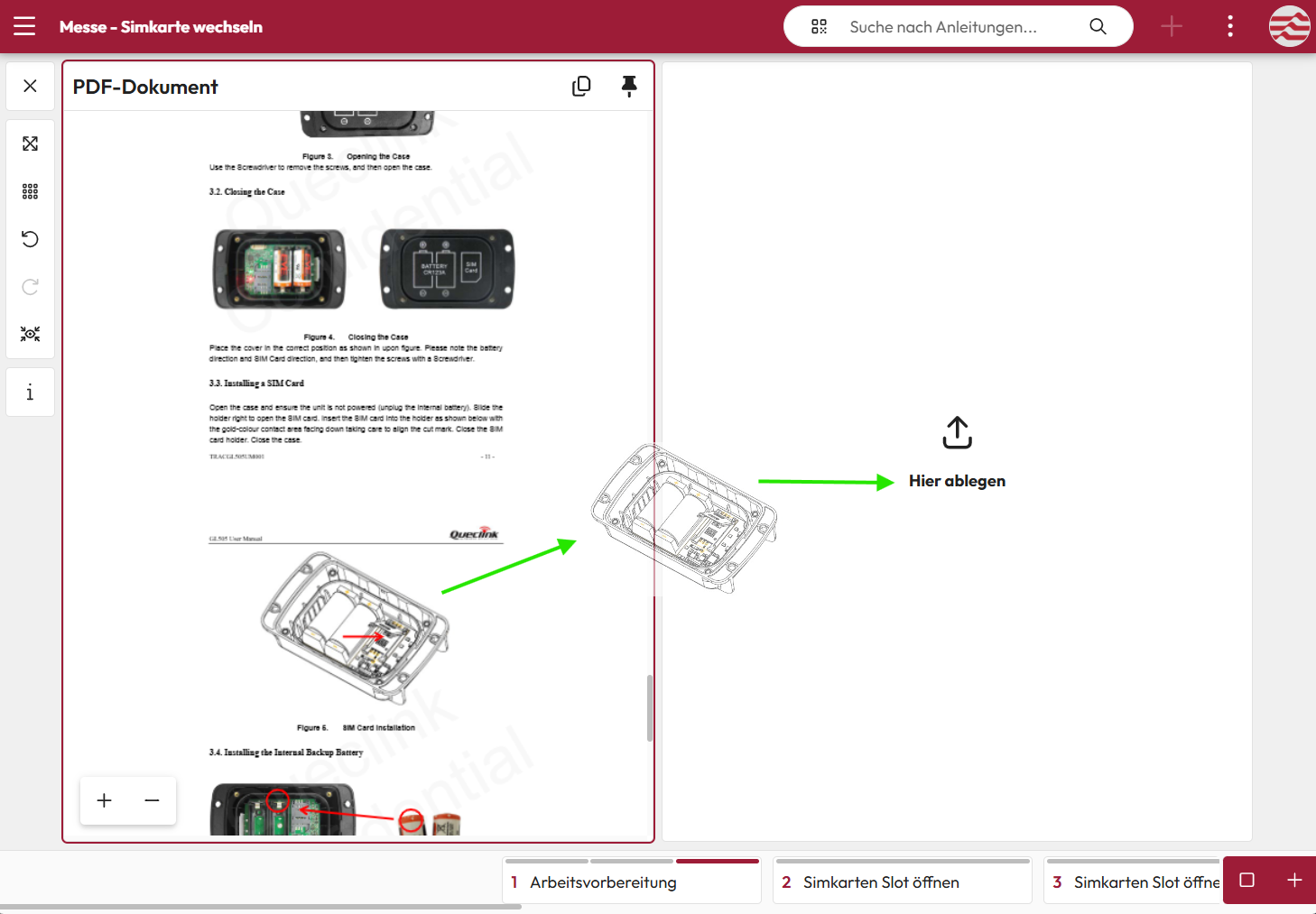
PDF Step Editor
The PDF Step Editor allows uploaded PDF documents to be quickly and easily converted into digital instructions. Content such as images, text sections, or page areas can be dragged and dropped directly from the PDF into individual work steps and structured accordingly.
This makes it easy to transform existing documents into clearly structured digital instructions. Users benefit from the fast digitization of existing documentation without having to recreate content.
AI Import of instructions
With the AI import for existing instructions, available documents can be quickly and easily converted into digital work instructions. The AI automatically analyzes uploaded files, recognizes the content, and structures it into individual work steps.
Texts and images are assigned to the corresponding steps. This allows existing instructions to be efficiently adopted and reused without extensive manual rework