


Inhaltsübersicht
- 1 Step by step instructions
- 2 The manual as a template: Why you should provide your employees with one
- 3 The advantages of the step-by-step guide at a glance
- 4 Interactive operating instructions
- 5 Suitable steps towards successful work instructions:
- 6 How to create step-by-step instructions yourself
- 7 Step by step to faster and more efficient processes: The tepcon “instructor” solves your instruction problem!
- 8 The tepcon “instructor” functions: simple, fast, safe
- 9 FAQ: Step-by-step instructions with the digital tool tepcon “instructor”
Step by step instructions
Do you need to create a step-by-step guide but don’t have the right software yet? Or are you dissatisfied with how this process has been handled in your company so far? Find out more about creating step-by-step instructions. Suitable products, possible errors, challenges and finally an explanation of how you can easily include all the necessary information in such a guide – we have taken a closer look at these points.
The manual as a template: Why you should provide your employees with one
Most manufacturers have documentation, operating manuals and step-by-step instructions in all areas of their production. Some are for safety reasons, others are required by law for documentation purposes, while others are used when new employees are being trained or someone is standing in for someone else.
Operating instructions, templates for documentation or manuals for production: in industrial operations, there are numerous reference works that explain step by step to inexperienced users how to operate a device, how processes should be documented or that explain certain production processes in more detail.
This information often has to be adapted or rewritten, as new manuals and adapted operating instructions are required as soon as a new device or other machines are purchased. Software updates for a product require new processes.
A solid, comprehensible step-by-step guide brings a whole range of benefits. It replaces the explanation by qualified colleagues, as they are not always on site.
Step-by-step instructions lead to greater productivity and efficiency, they increase the safety of processes and help to avoid errors.
This compensates for sickness cover, staff shortages and a lack of skilled workers in some places. Fast information transfer instead of paperwork and searching for instructions that may even only be in the head of certain employees – this can be achieved today with the help of a suitable digital product.
The step-by-step instructions should be professional, understandable and comprehensive. Let’s look at complex machine or system programs, for example – quick access to step-by-step instructions saves time, money and effort and reduces downtimes.
The training period for new team members can be significantly shorter if work processes are explained directly and clearly with step-by-step instructions. In addition, work processes can be learned through self-study, which reduces the workload of the trainer or foreman.
And even a new product that needs an instruction manual can be more economical and efficient if the instructions are convincing: comprehensible and well-written step-by-step instructions in the manual reflect on you as a manufacturer and testify to the quality of your products.
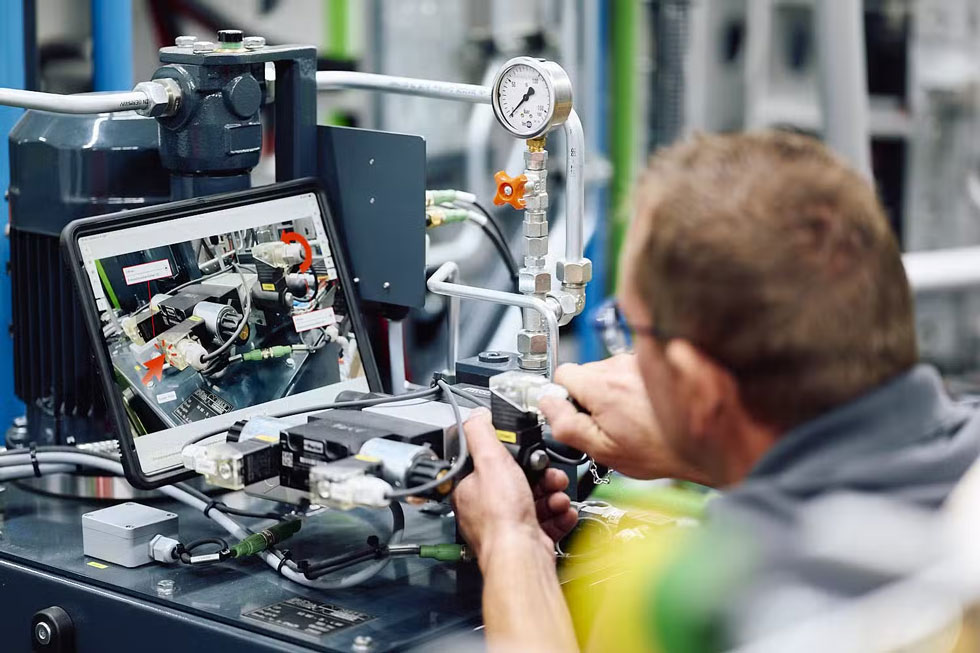
Create process instructions step by step
Instructions that explain the individual steps of various procedures and tasks are available in different versions in every area of working life.
They ensure productivity and efficiency, prevent financial losses due to errors and are sometimes even relevant for the safety of certain processes.
Digital instructions are increasingly used in these forms:
Operating instructions or standard instructions
They contain routine processes that are carried out in the same way every time the system is operated – an important aid when training new employees on production systems, for example.
Troubleshooting instructions
The aim of these instructions is to identify and rectify errors and technical problems quickly and efficiently in order to minimize disruption to ongoing operations. Instructions of this type help, for example, to identify the causes of problems, make diagnoses or carry out corrections.
Operating instructions for specific work tasks
If employees have changing tasks and workplaces, instructions specialized for this area of responsibility can help, for example in the form of a guide.
Safety-relevant procedures
Operating instructions may be necessary for the safe handling of hazardous goods, operating manuals help with the use of heavy equipment or provide information on the use of personal protective equipment. Instructions also provide the necessary framework for the individual steps during audits and safety inspections.
The advantages of the step-by-step guide at a glance
- more productivity
- more efficiency
- Error avoidance
- greater safety, for example when employees work in areas where they are not normally deployed.
There are different types of instructions to suit the diverse challenges of modern Industry 4.0. Step-by-step instructions have long since been digitized – but only with the right product for your individual application can you get the maximum savings from this useful helper.
Reason enough to take a closer look at the step-by-step instructions: Which instructions can do what, for which processes do you even need one, and which solutions are suitable for your company? Read more about your new step-by-step guide. And if you still have questions, feel free to contact our team.
The step-by-step guide: Challenges and special problems
Operating instructions and special instructions for certain processes are needed in all areas. In the digitalized world of work, the instructions for a product or an action also often need an update, as all technologies are constantly being further developed.
A well-designed template that allows the instructions to be updated quickly can help here. Users should be able to learn new features in just a few steps, and with the help of suitable operating instructions or a look at the current manual, this is usually possible.
However, it takes time and expertise to keep the numerous instructions in a company up to date or even create new ones.
There is often a lack of expertise in your own team for something like this – who has a technical editor in their team? And the time it takes to create instructions for a product, a template or a user manual is often not available either.
However, this is no longer necessary, as there are now a number of services that make the task easier for you.
Do you need step-by-step instructions for your company?
Possible solutions for step-by-step instructions: what the market offers
Thanks to digital solutions, you no longer have to go through all the steps of a user manual or instructions every time. There are tools such as the tepcon instructor that take over many or even all of the steps required to create such instructions.
What variants are there and what does a work instruction consist of? Let’s take a brief look at the different forms.
- Written instructions, with or without picture
- Video
- Sound
- Screenshots
- interactive instructions online
Depending on the tools and software available and the knowledge of how to use them, all of these components are used more or less effectively. There is often hidden potential here: professional training courses that explain all the important functions of tools to the user can show the people in charge what possibilities and content a program has.
Programs are often installed but then not used to their full extent – this is where retraining all users can help.
Basically, it is important to provide different formats for the different habits and knowledge of the users.
Written instructions
Illustrated instructions
Disadvantage: This form is cumbersome to create, the instructions are often created with Word plus copied images, which can be imprecise. In addition, such a manual has no documentary function.
Digital tools that automatically take over the documentation after each step are better. This also saves the user time.
Tutorials as video
However, the tutorial needs to be reworked, and as soon as the processes change, you need to shoot a new video.
Video tutorials also never run in sync with the activity. Especially with long videos, the user is forced to pause, rewind or fast-forward the video again and again to keep up with the pace set by the video. In the end, the user is more concerned with navigating through the video than with the content.
New applications, software updates etc. then require a new video every time.

Interactive operating instructions
Interactive instructions virtually guide the user through the first use, which is often used for software systems, for example. Simulations also belong to this type of instructions.
Which product suits your company?
There are many different ways to share content and instructions with users. Depending on the purpose and target group, a different tool is recommended – but the versatile tepcon “instructor” covers every conceivable purpose. Our customers are companies from a wide range of industries, and the instructor has impressed them all with its versatile, adaptable software.
Whether technical documentation, user manual or specific work instructions: the software creates the right instructions within minutes. You can enter content in different ways, explain steps using text, images or even in 3D, and add a table of contents and glossary to a manual.
All of this is done in minutes and can then be shared via the website or a mobile device. Let our team advise you on the possibilities!
Create step-by-step instructions: This is how it really works
The easiest way to create a template or instructions for a product or process is to use a digital tool such as the tepcon “instructor”. If you still want to go to the trouble of implementing the individual steps yourself, you should avoid the following sources of error
- Outdated step-by-step instructions that cause confusion or require additional explanation from experienced employees.
- Lack of detail: Explanations that are too superficial and images/videos that have gaps in the process cause interruptions and, in the worst case, errors in the process – the opposite of what you want to achieve with your step-by-step instructions.
- Comprehensible language and images: Avoid step-by-step instructions that are difficult to understand. Avoid errors in content and overly complex instructions at all costs. Illustrate the instructions with suitable material that clearly presents the information and explains it further if necessary. Blocks of text that are too long are often off-putting and are also comparatively more difficult to grasp than a well-chosen picture or diagram.
- The eye also works: Make sure the design is clearly structured and uncluttered. Unstructured instructions are not only time-consuming, but can also lead to errors in the process.
- Make sure that the step-by-step instructions are documented in a standardized way, using the same symbols and terminology. The more uniform the documentation, the fewer queries and the more comprehensible the content.
Suitable steps towards successful work instructions:
Choose a tool that allows updates and versioning. This allows you to easily integrate the new software update, the newer machine or the improved process into the existing step-by-step instructions.
Make sure that employees who really understand what it is about are selected for the creation and provide all relevant information.
Be careful with the selection and documentation. For which processes do you need the instructions? Define the core processes that are to be recorded.
Gather the necessary information to be included in the instructions. This assumes that the person creating the instructions has really understood what it is about. Clarify open questions before creating the step-by-step instructions.
Use tools for documentation: They provide the basis for turning established processes into step-by-step instructions. For example, to ensure that the induction process for the next onboarding of a new employee is precise and quick, even if the predecessor is no longer there.
Make sure you have a well-designed table of contents in the instructions so that users can jump straight to the unclear point. If necessary, also include an element with keywords.
Use plenty of illustrations, graphics, screenshots, visualizations of all kinds, possibly even in 3D.
Use a professional software tool such as the tepcon “instructor” and have yourself and your team trained in its use. We not only support our customers during implementation, but also provide training beyond this.
Do you need step-by-step instructions for your company?
How to create step-by-step instructions yourself
You should also proceed step by step when creating instructions. Ideally, you should document this process from the outset and thus prepare a template for later applications.
What exactly are the steps involved in creating an application, whether manually or using professional software?
First step: Take a closer look at the target group of your step-by-step instructions. Who is the guide for, what level of knowledge can you assume, what form is likely to be preferred by the users, how often are the instructions likely to be used?
Are users completely new to using the machine, product or software, or do the operating instructions serve to expand existing knowledge?
Which technical terms should be defined and which can be assumed to be known? Does it make sense to create the step-by-step instructions in several languages?
After answering these questions, step two follows. You decide on a suitable format for the step-by-step instructions: image and sound, image only, image and text, interactive tool for direct clicking via mobile device or on your company’s website?
The third step is information gathering and planning. For example, first record the steps to be explained. Gather the appropriate information, such as suitable visual material, photos, screenshots or GIFs.
Also select a suitable tool for your step-by-step instructions: If you want to use professional software such as the tepcon instructor, this will save you a lot of time in the creation process.
In the fourth step, you prepare all the material, arrange images, texts and graphics in the correct order and create to-do or checklists. The tepcon instructor already has the right template for this.
Write texts yourself, paying particular attention to clear language. Explain all the necessary details, but don’t go into too much detail. Always structure text passages for a better overview, for example with subheadings or inserted images.
Think about a table of contents and, if necessary, a glossary for quick access to certain parts and special components of the product.
Finally, the step-by-step instructions should be tested. Choose one or more test persons and let them try out each step. This will quickly reveal any errors in the manual, which can then be corrected.
Step by step to faster and more efficient processes: The tepcon “instructor” solves your instruction problem!
Does it sound time-consuming to create such step-by-step instructions? It is. The tepcon instructor solves this instruction problem!
Our versatile and tried-and-tested software for digital instructions takes a whole lot of work off your hands. Whether it’s operating instructions for your product, a manual that users need to familiarize themselves with new devices or the ongoing documentation of your processes: We have the uncomplicated solution for it.
If you want to create instructions within minutes and share content with all users in the company, if you need suitable templates for documentation, then the tepcon “instructor” makes all the difference.
Instructions, templates and the updated manual are created and distributed to all users in just a few steps.
- Implementing the “instructor” is easy, using it is simple and the increase in efficiency is phenomenal.
- User-friendly interface and intuitive operation.
- Use via various end devices such as a PC, tablet or smartphone.
Instantly share technical documentation templates via website or mobile device with everyone in your company who needs access. Increase the quality of individual steps and therefore the entire process. Secure know-how in an uncomplicated way, even when people assigned to specific tasks leave the team. Increase the transparency of all processes with simple and continuous documentation.
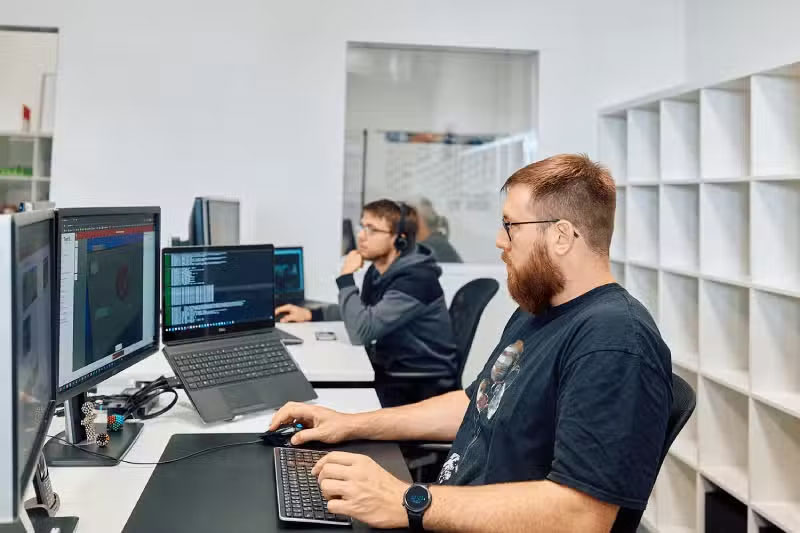
The tepcon “instructor” functions: simple, fast, safe
The tried-and-tested software has a whole range of functional features: The program is designed to be user-friendly in all phases and makes processes transparent and easy to understand.
Changes can be easily tracked with the help of versioning. All steps of your tasks are documented, making it easier for users to detect and avoid errors.
The instructor uses a cloud solution, so it can be accessed on the move at any time without any installation effort.
Translations are also no problem with this tool: the instructor translates your template into the desired target language with just a few clicks.
Revolutionize the process in your company and create instructions or technical documentation with the tepcon instructor in the future.
With the help of images, screenshots, interactive elements, text and sound, you speak the language of all employees and customers. Instructions and templates are easy to update. Take step-by-step instructions to a new level now!
Would you like to know more about what the “instructor” can do for your organization, for your company? Then get your quote here!
FAQ: Step-by-step instructions with the digital tool tepcon “instructor”
What are the advantages of the tepcon "instructor" compared to classic step-by-step instructions?
The tepcon “instructor” offers a number of advantages over traditional, perhaps even paper-based, step-by-step instructions. Among the most important are:
Increased efficiency: By providing instructions digitally, processes can be carried out faster and more accurately.
Increased quality: Errors are reduced thanks to the clear and precise presentation of the work steps.
Safeguarding know-how: The instructor records and saves all work steps and processes digitally, which prevents knowledge loss.
Transparency of processes: Logging and change tracking enable precise tracking and optimization of processes.
Easily accessible: Thanks to the browser-based cloud solution, the instructions can be accessed at any time and from anywhere.
How long does it take to implement the tepcon "instructor" in an organization?
As a rule, companies can start using the tool after a short introductory phase of just a few days. The entire implementation process, including training, can take around one to two weeks, depending on the size of the company and its specific requirements.
The instructor is a web application that does not require any installations. A browser such as Edge, Chrome or Safari without additional plugins is sufficient for access. Employees only need their access data to be able to create or retrieve instructions.
In which sectors can the tepcon "instructor" be used and what advantages does it offer there in particular?
Mechanical and plant engineering: efficient and error-free execution of maintenance and repair work.
Construction industry: clearly understandable instructions for complex construction processes.
Production and automotive industry: optimization of assembly and production processes.
Service sector: improved quality and consistency in the execution of services.
The specific benefits in these industries include increased productivity, reduced error rates and better documentation and tracking of work steps.
How does the use of the tepcon "instructor" differ from traditional operating instructions?
Digital availability: Instructions are available digitally and can be accessed at any time via various end devices such as PCs, tablets or smartphones.
Interactive elements: Instructions contain interactive checklists, videos, tutorials and images that visualize the work steps and make them easier to understand.
Thanks to the table of contents and glossary, you can quickly navigate to any part of the operating instructions.
Easy updating: Versioning makes it easy to update a template and track changes.
QR code integration: Instructions can be accessed directly on the object via QR codes, which simplifies and speeds up access.
How does the tepcon "instructor" support the training and day-to-day work of users?
The software makes it possible to create step-by-step instructions directly on the object and enrich them with images, videos and documents.
Users can simply call up the instructions via QR codes and are guided through the entire process. The search in a system folder or directories on a server is thus completely eliminated and reduced to a scan of the QR code.
The interactive checklists ensure that all work steps are carried out correctly. This leads to quick training of new users and continuous improvement of work processes through regular updates and optimization of the instructions.