
Work orders
With orders in the Instructor, work processes can be structured, planned, assigned, controlled, and monitored.
This not only defines when, what needs to be done, and by whom. At the same time, the Instructor provides the appropriate digital instruction, delivering the how as well—ensuring process reliability and consistent quality in the long term.


- Orders & Instructions
- Order Overview
- Order Calendar
- My Dashboard
Orders & Instructions
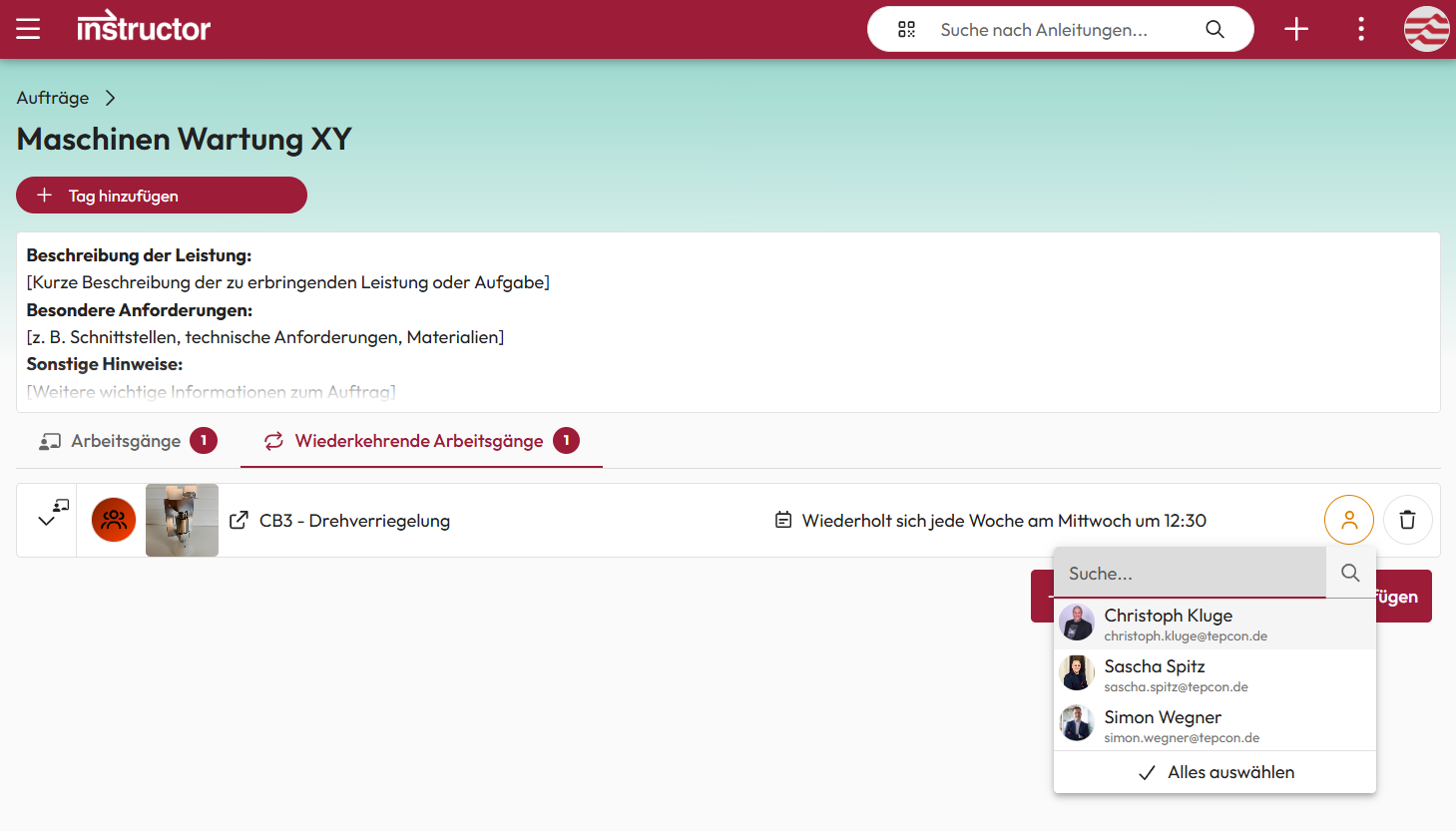
Multiple instructions can be bundled into a single order to represent a complete workflow. These orders can be scheduled as one-time or recurring tasks and assigned specifically to the appropriate teams or employees.
This makes processes plannable and standardized, enabling reliable execution with minimal organizational effort.
Order Overview
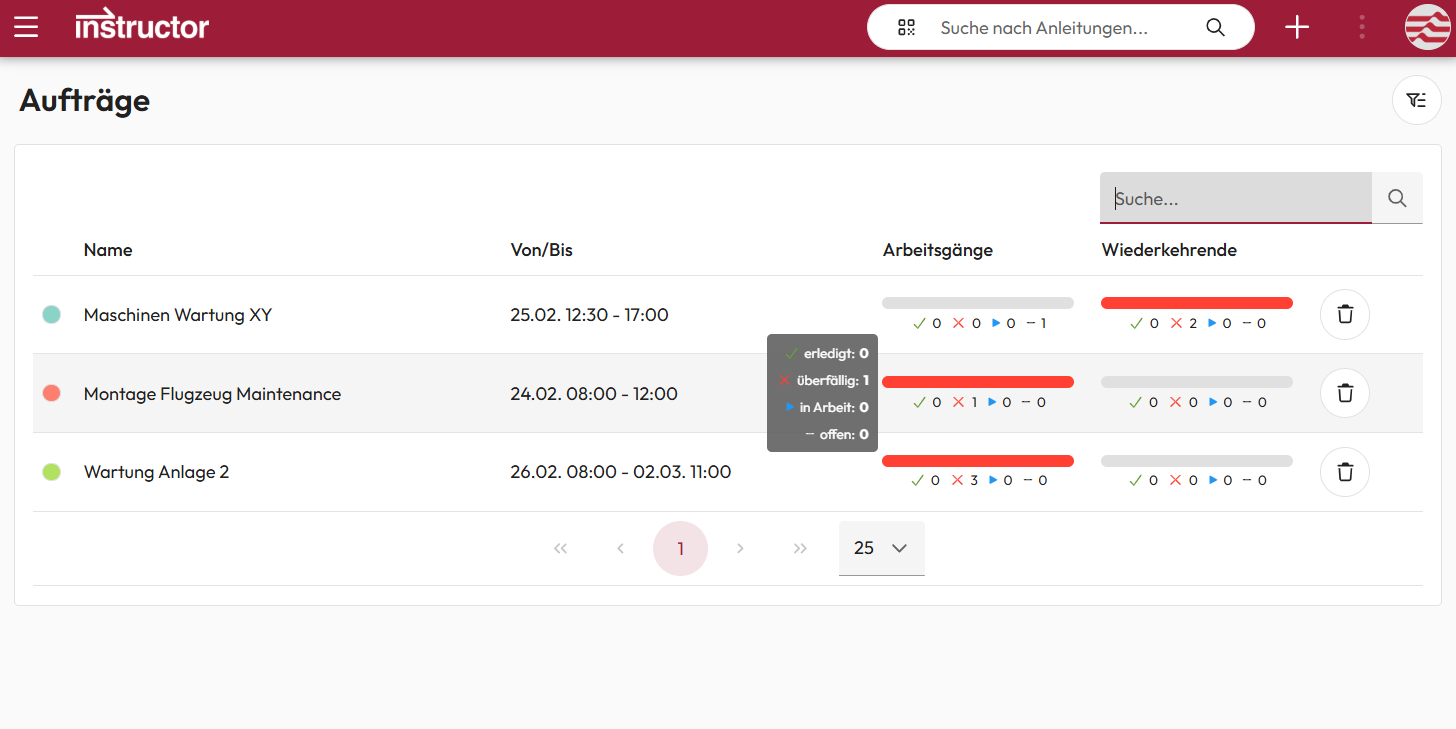
The order overview provides a transparent view of the current status of all orders. At a glance, it shows which tasks are planned, in progress, completed, or overdue.
This allows responsible staff to maintain a quick overview of task progress at all times and to react early if delays occur.
Order Calendar
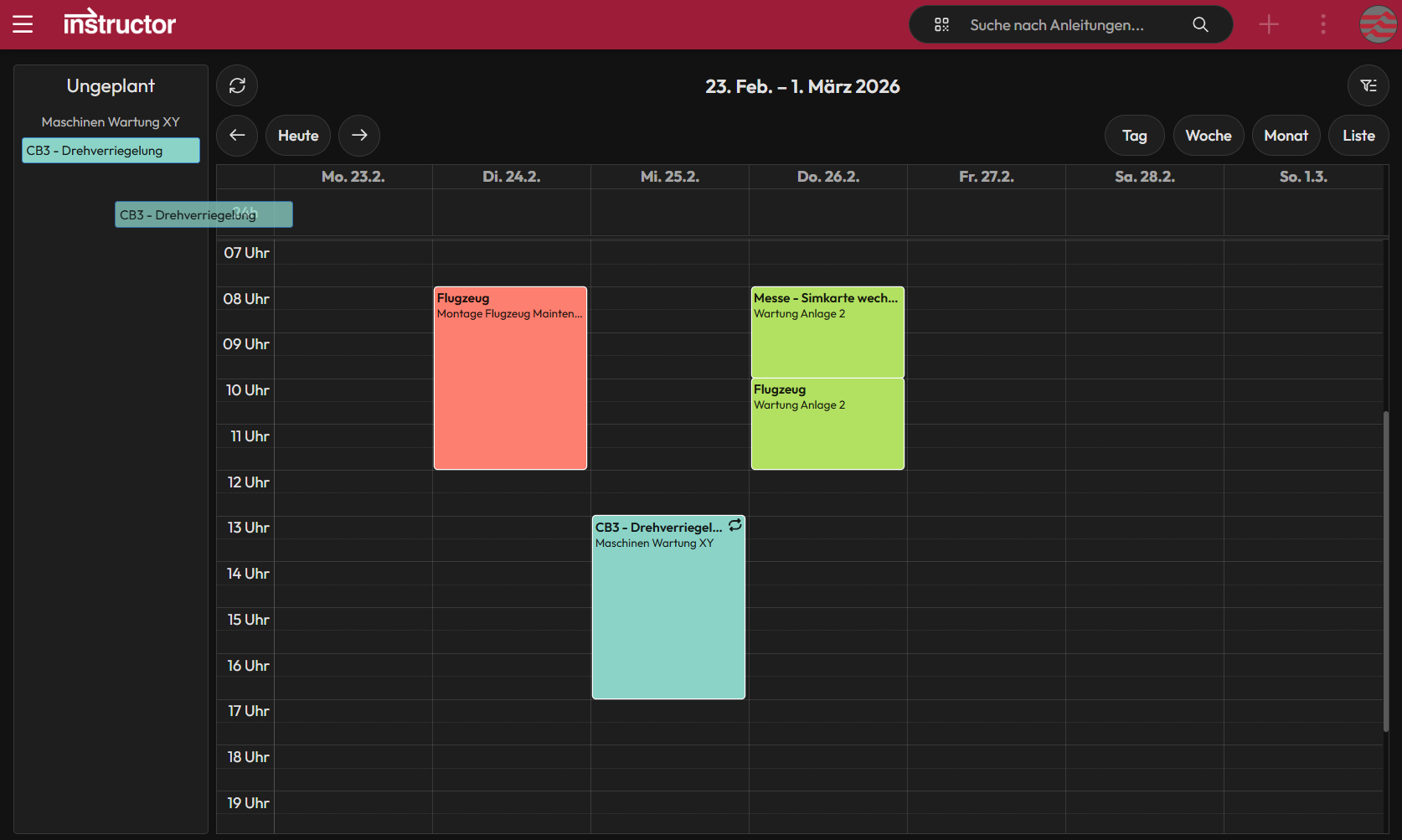
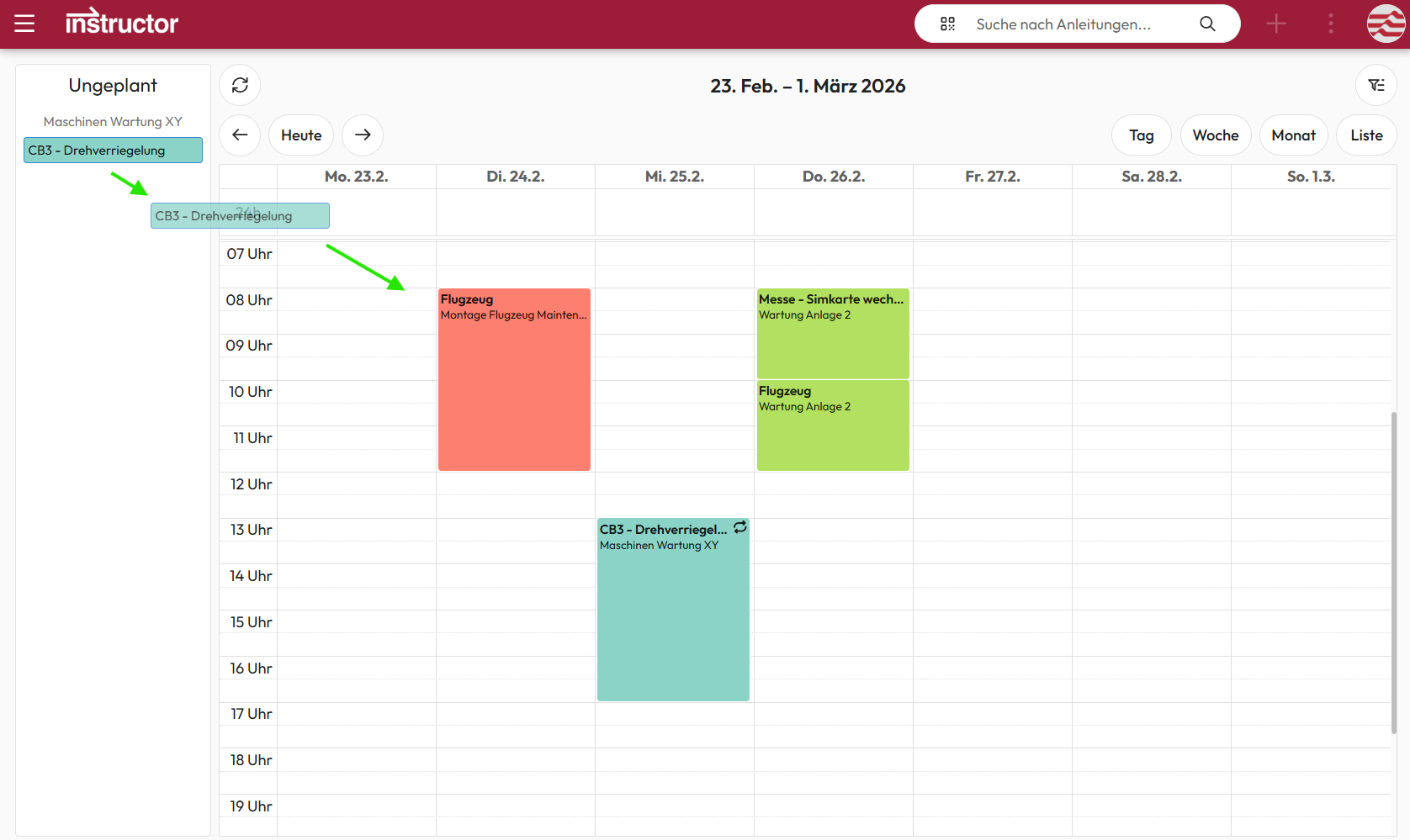
The work steps or instructions of an order can be easily scheduled in the calendar using drag and drop and adjusted flexibly. Individual work steps can be color-coded depending on the order, team assignment, or status.
This visual representation makes it possible to see team workloads and the current status of work steps at a glance, allowing planning to be optimized accordingly.
My Dashboard
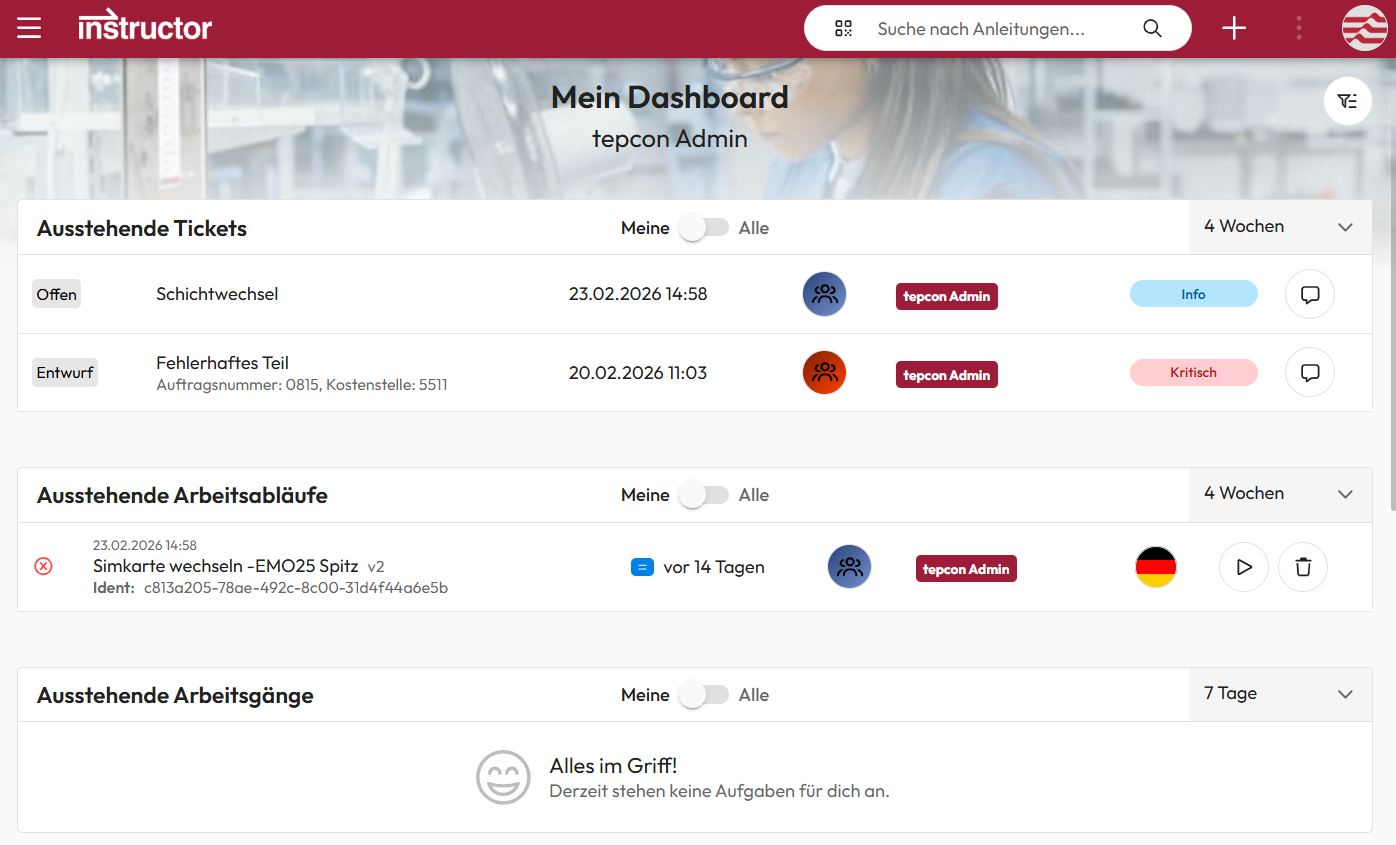
Through their personal dashboard, each employee can see at a glance which work steps are scheduled for them and when, which ones they are currently working on, and which may be overdue.
Creators of instructions also receive an overview of their instructions that are in progress or under review. Reported issues or improvement suggestions are also displayed there centrally.
This way, the dashboard brings together all relevant information in one place and helps employees keep track of their tasks and activities at all times.
We are delighted with the trust placed in us by many satisfied customers!